


Looking for an AI writer that works natively within your WordPress website? The 10Web AI Assistant might be the perfect solution for you.
10Web has already been providing different AI-related capabilities with its website builder, and the native AI assistant within the WordPress editor takes it to the next level.
While most AI writers make you install their Chrome extensions, 10Web’s solution to make it available using Gutenberg blocks feels very native and integrated with the default WordPress editor.
In this detailed web guide, we will look at some of the main features of 10Web AI Assistant and help you decide if it’s the right solution for you.
Get 20% OFF on all plans in addition to the annual 50% OFF using our exclusive 10Web Coupon code for our PradeepSingh.com users.
Deal: 50% OFF Deal
Coupon Code: wpism
What is 10Web AI Assistant?
10Web AI Assistant is an AI writing solution for WordPress-powered websites. The tool lets you create and edit your content within the WordPress editor with the power of AI, making it much faster and easier.
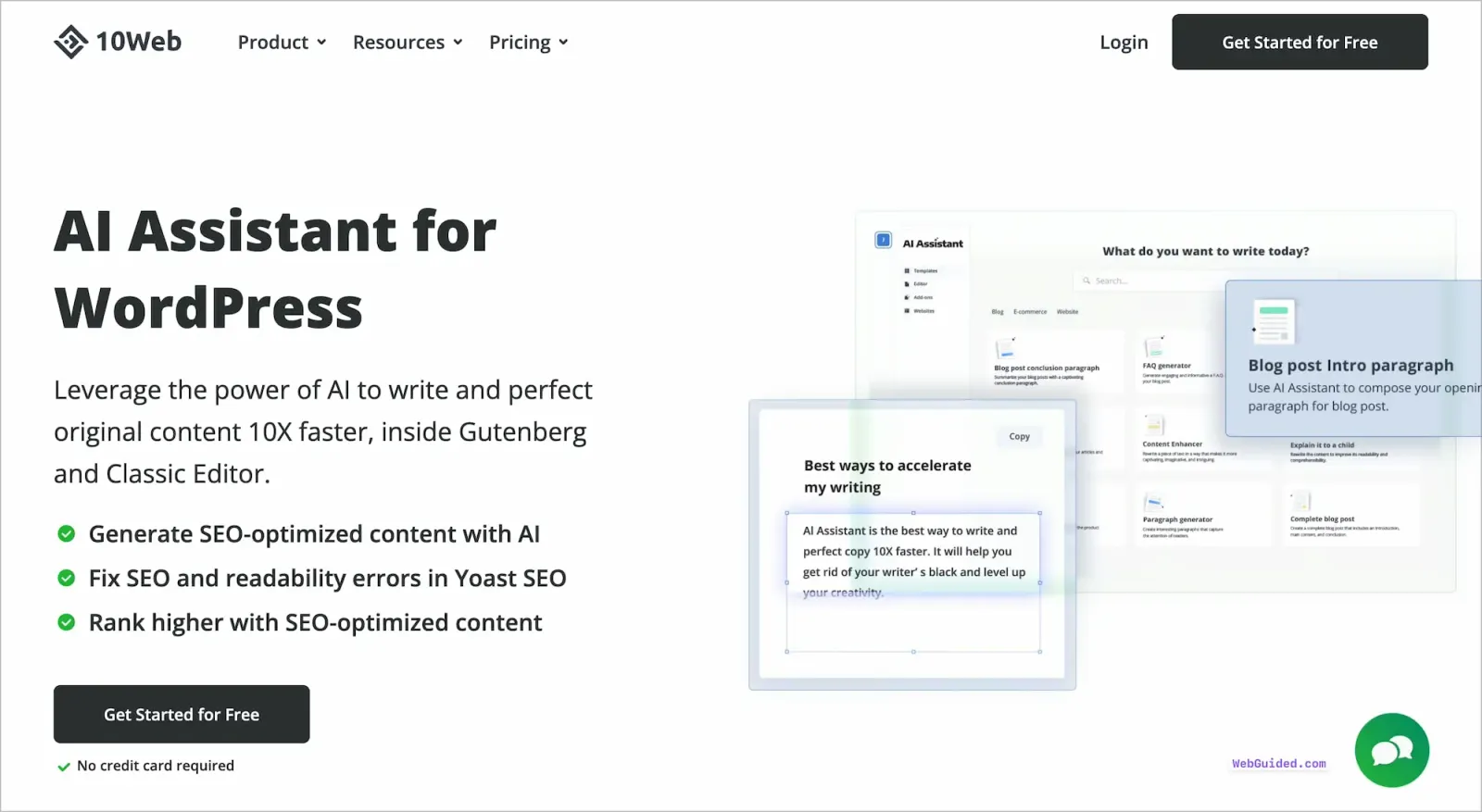
The AI assistant tool uses leading large language models, such as GPT-3 Model of Open AI, to help you generate AI-powered content that you can then further edit within your editor.
While there’s no shortage of AI writing tools and software in the market, 10Web AI Assistant has a very niche focus of helping WordPress users and being native to WordPress default editor. And that’s where it shines and differentiates itself from the Jasper of the world.
The AI assistant offers you multiple templates and blocks to start creating specific types of content such as introduction, paragraphs, conclusion and so on. It also offers blocks for different frameworks of content, such as the AIDA framework and PAS framework, among others.
You can check out the list of all content templates below that make the process of generating relevant text easier and faster.
10Web AI Assistant Pricing
With 10Web AI Assistant being a freemium product, it is available for WordPress users to download and install for free.
With a free 10Web AI Assistant account, you will have access to all of its features, but the content generation is limited to 2000 words per month.
The AI Assistant Pro has three main plans – Personal, Premium, and Agency plans based on the number of words that you can generate under each plan.
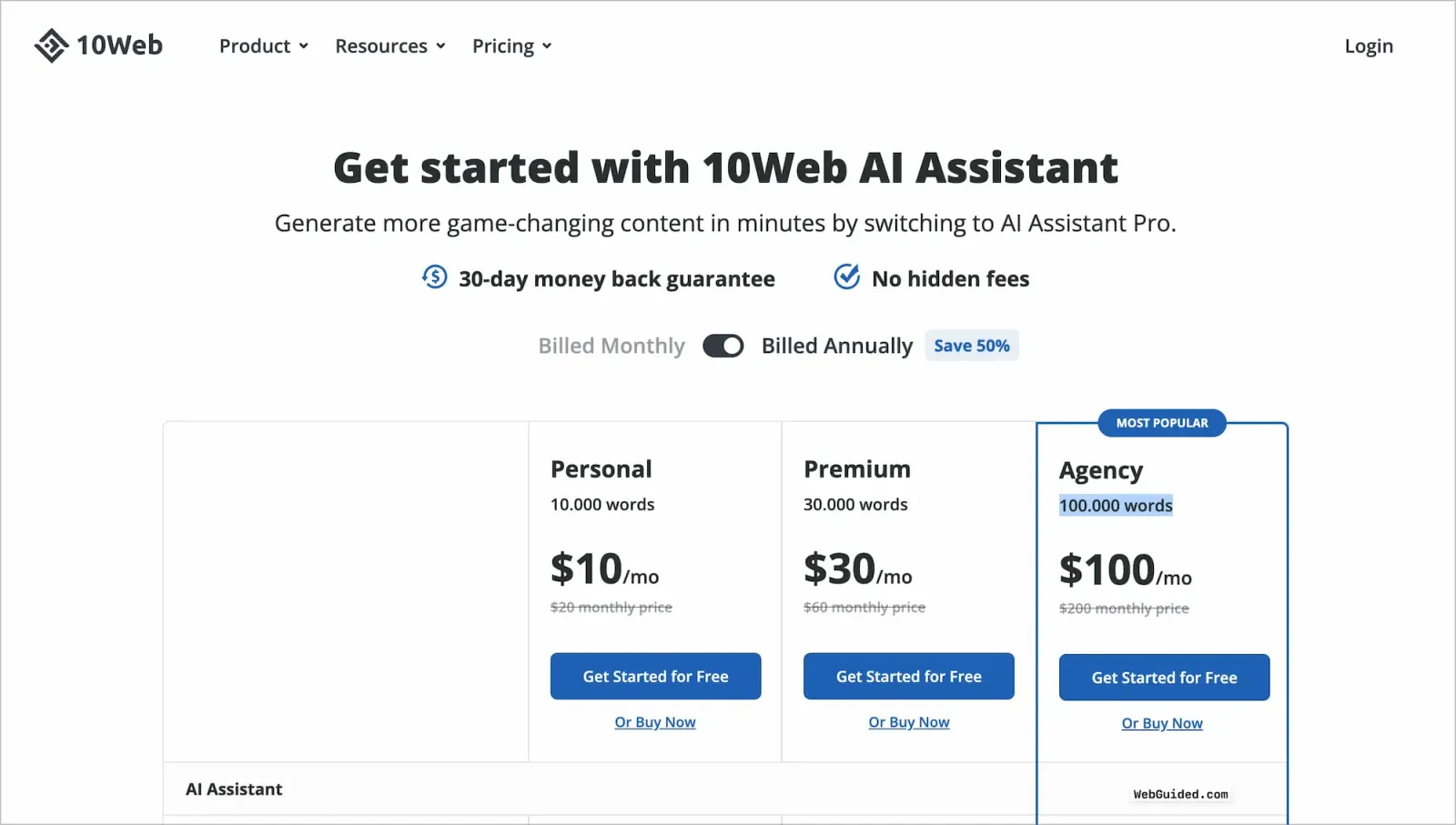
You can click on get started for free to use the free version of the plugin. However, if you are looking to upgrade and use the pro version, it might be better to use “buy now” while signing up.
You can also use our exclusive 10Web coupon code – wpism to get an additional 20% OFF on all of their plans.
10Web AI Assistant Plans and Pricing Overview
Here’s a quick overview of the plans and pricing of 10Web AI Assistant, with the main basis of the number of words included in each plan.
| 10Web AI Assistant Plans | Number of Words | Pricing | Annual Pricing |
|---|---|---|---|
| Personal Plan | 10,000 words | $20/mo | $10/mo |
| Premium Plan | 30,000 words | $60/mo | $30/mo |
| Agency Plan | 100,000 words | $200/mo | $100/mo |
Calculating AI Words Generation
To determine word usage, 10Web calculates both input and output words, which is a common practice among generative AI models.
The word count is based on the assumption that every 5 characters constitute a word. For instance, if you generate a sentence by providing another sentence as input, the character count of both the input and output sentences will be summed up and divided by five, which will be counted toward your usage.
Main Features of 10Web AI Assistant
The 10Web AI Assistant has a lot of features similar to other popular AI writers in the market. It comes with several built-in templates to generate specific types of content within your articles and blog posts.

Here are some of the main features that you can use the 10Web AI Assistant for;
Content Generator with Blocks
One of the key features of 10Web AI Assistant is its Content Generator, which offers an efficient and effective way to generate content with the ease of your default editor.
Content creation can be a time-consuming and resource-intensive process, requiring a great deal of effort and expertise to produce unique, high-quality content that resonates with your audience.
However, with the Content Generator feature of 10Web AI Assistant, you can generate content in a fraction of the time it would take to do it manually.
With over 20 templates available, each with tailored prompts for different use cases, the Content Generator feature makes it easy to generate content that is relevant and engaging for your audience.
Whether you need to create blog posts, social media updates, product descriptions, or any other type of content, 10Web AI Assistant can help you do it faster and better than before.
This feature can reduce the amount of time and financial resources spent on content creation while providing instant results.
WordPress Specific Addons and Integrations
One of the most exciting features of 10Web AI Assistant is its integration with other tools in the WordPress space, such as Yoast SEO.
The tool promises to help you fix SEO and readability errors directly based on the SEO plugin’s suggestions.
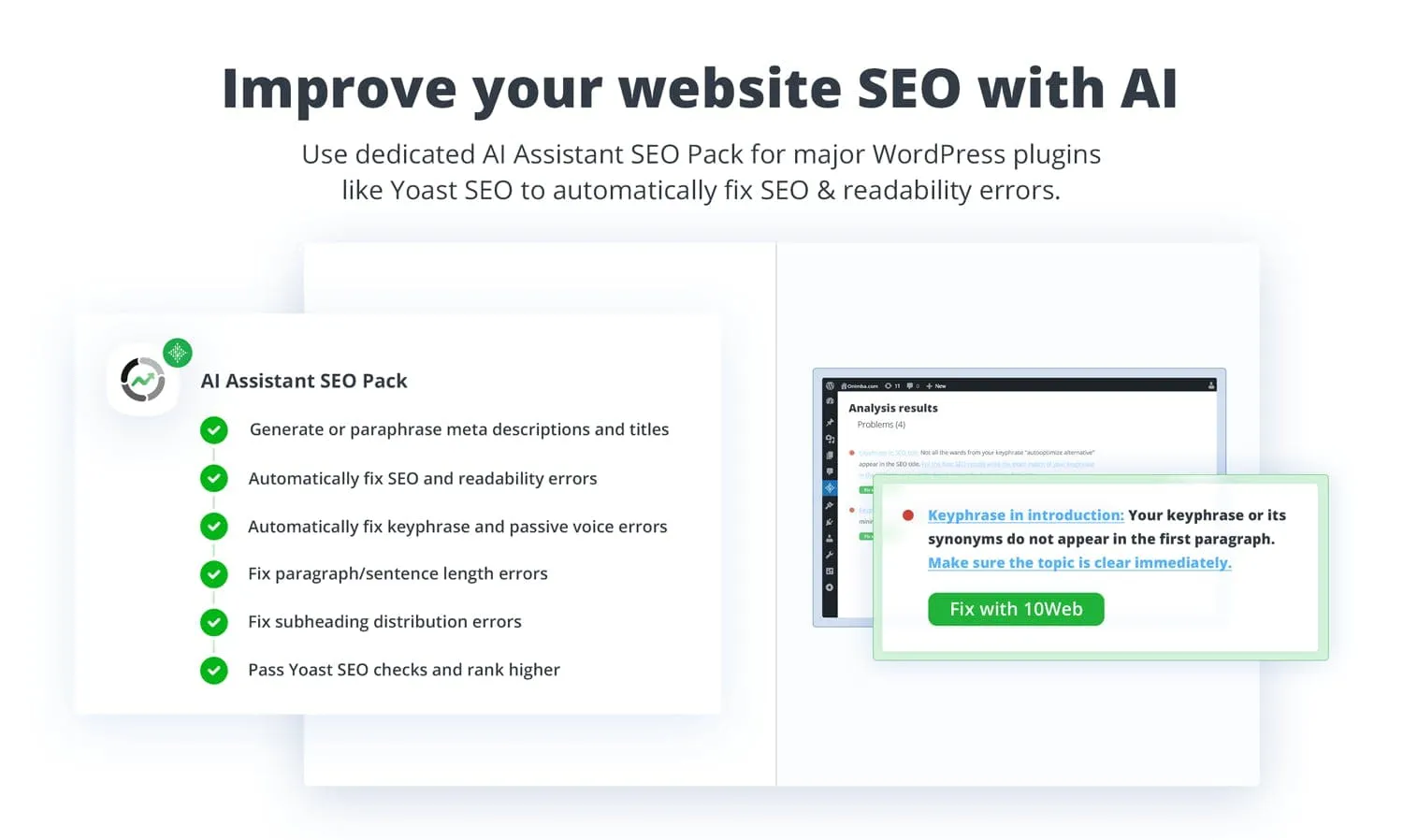
The AI Assistant SEO pack, for example, enables you to fix several content-related SEO elements highlighted by the Yoast SEO plugin.
You can use the SEO pack (Yoast SEO) separately for the tool, which is also available to install on the WordPress repository.
Outline Generator for WordPress
Another noteworthy feature of 10Web AI Assistant is its Outline Generator, which is designed to help users generate new ideas quickly and easily.
Creating outlines for articles, blogs, descriptions, ads, landing pages, and other content can be a time-consuming and challenging task that requires a high level of creativity, research, and effort.
However, with the AI-powered Outline Generator, you can generate multiple outlines and ideas within seconds, saving you valuable time and energy.
All you need to do is provide a few simple keywords or a sentence describing your article, and the AI algorithms will produce relevant outlines and ideas for you to explore.
The generated outlines will provide you with a clear structure and direction for your content, making the writing process more straightforward and efficient.
This feature is especially helpful for those who are working on multiple projects at once and need to generate outlines and ideas quickly.
Paragraph Generator for WordPress
The Paragraph Generator feature of 10Web AI Assistant is another powerful tool that can help users increase their productivity and overcome writer’s block.
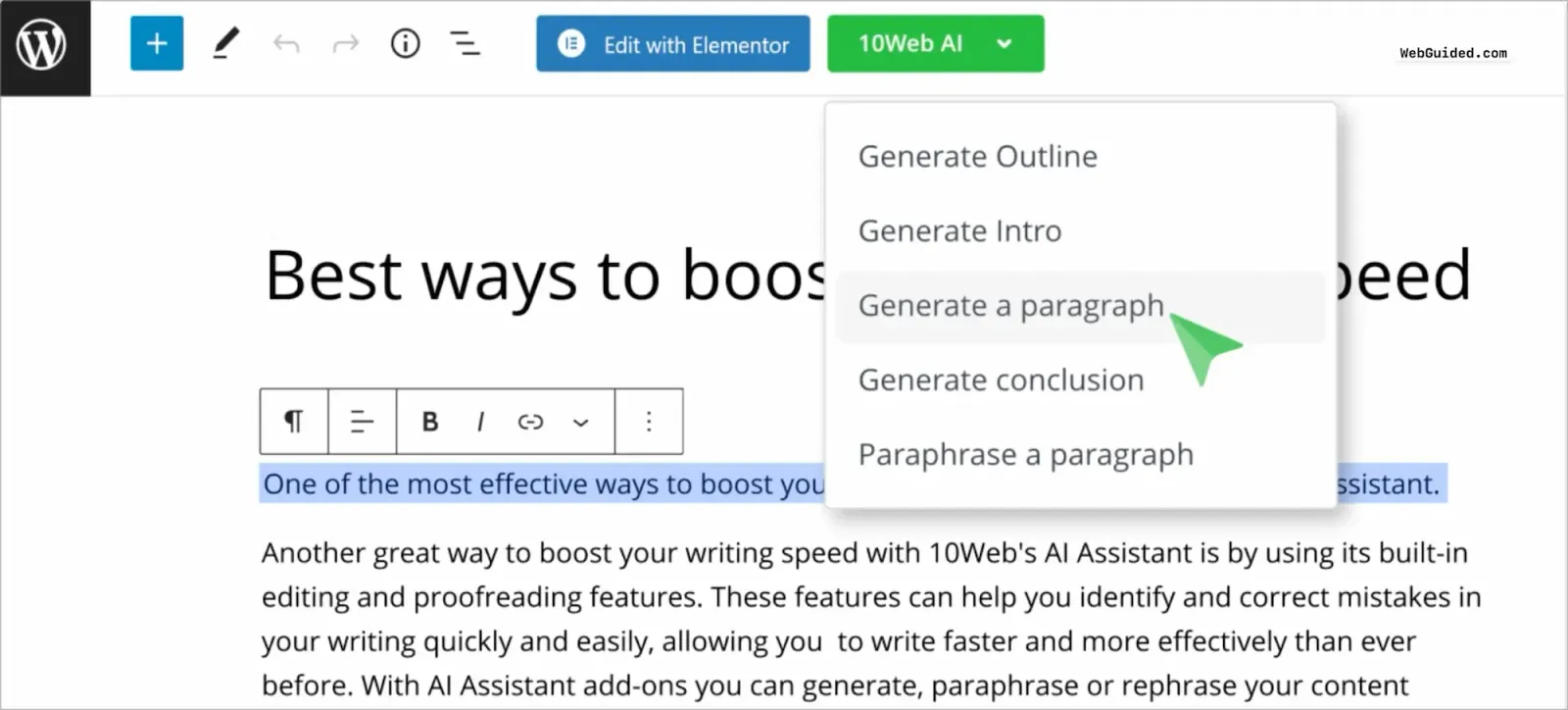
Sometimes, despite our best efforts, we get stuck and unable to create content that flows and resonates with our audience.
This is where the Paragraph Generator feature comes in handy, helping users create high-quality content without worrying about sounding repetitive or struggling to come up with new ideas.
With the help of AI model, the Paragraph Generator can assist users in creating content that is unique, creative, SEO-optimized, and relevant.
The generated paragraphs are well-written and well-structured, making it easier for users to put together their content quickly and with less effort.
Introduction Generator Block
The Introduction Generator is designed to save users valuable time and resources by automatically generating an introduction paragraph for their content.
By using the post or page title, or another content piece as a prompt, the AI algorithms can quickly create a well-written and engaging introduction that captures the reader’s attention and sets the tone for the rest of the content.
With this template, you can skip the time-consuming and often frustrating process of brainstorming and writing an introduction, ultimately saving hours of work and effort.
The AI-generated introduction is tailored to the user’s content, ensuring that it is relevant and engaging to their target audience.
Conclusion Generator Block
With 10Web AI Assistant’s Conclusion Generator feature, creating a well-written and impactful concluding paragraph has never been easier.
This feature allows you to save valuable time and resources by automatically generating a conclusion paragraph that is relevant, powerful, and seamlessly integrates with the rest of your content.
Many content creators struggle with writing a compelling conclusion, but with the help of AI algorithms, you can ensure that their concluding paragraph is just as strong as the rest of their content.
With this, you can eliminate the frustration and time-consuming process of writing and editing a conclusion, allowing you to focus on other essential aspects of your content creation strategy.
Content Templates included in 10Web AI Assistant
10Web AI Assistant comes with 20+ Content Templates for different use cases and is catered to cover the main elements in websites, e-commerce stores, and blogs.
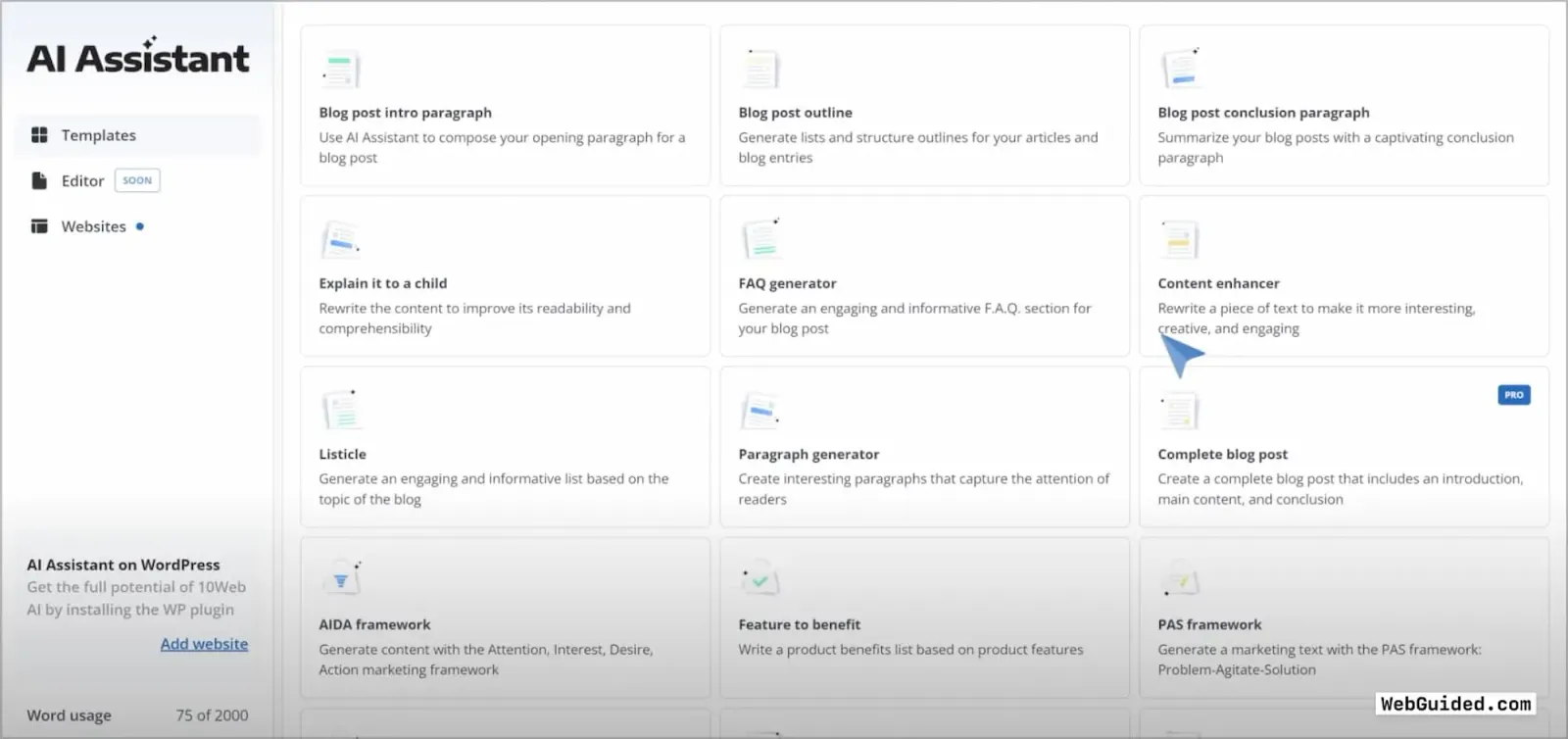
You get access to a range of templates to choose from, each tailored to specific use cases and frameworks.
Depending on whether you need to create product descriptions for an e-commerce store, blog posts for your website, or other types of content, 10Web’s AI algorithms will generate high-quality text that matches your specific needs.
How to install and use 10Web AI Assistant?
You can download and install 10Web AI Assistant directly from the WordPress repository. As a freemium product, you can also use it for free with limitations on the number of words you can generate.
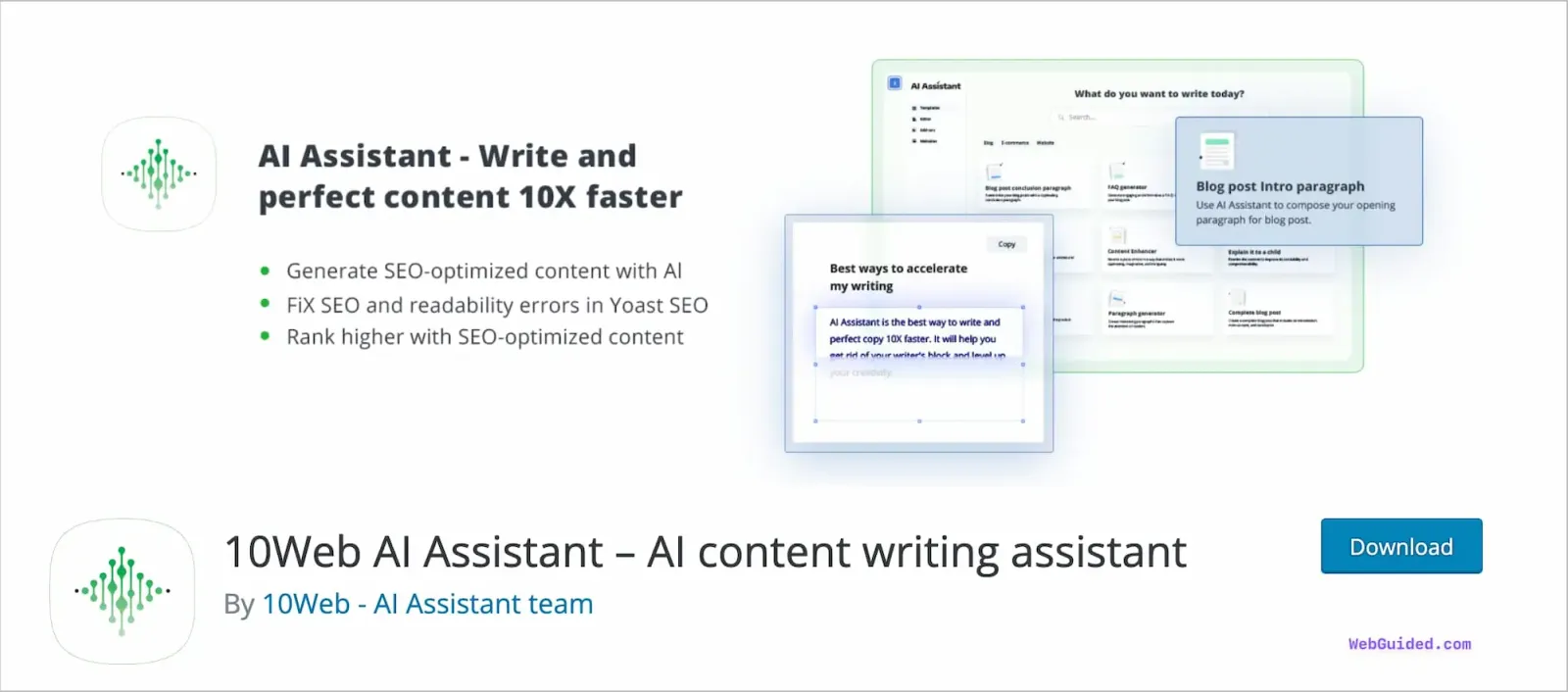
Here’s a step-by-step process to download and install the tool.
Step 1: Search and install 10Web from within your WordPress dashboard. Plugins > Add New.
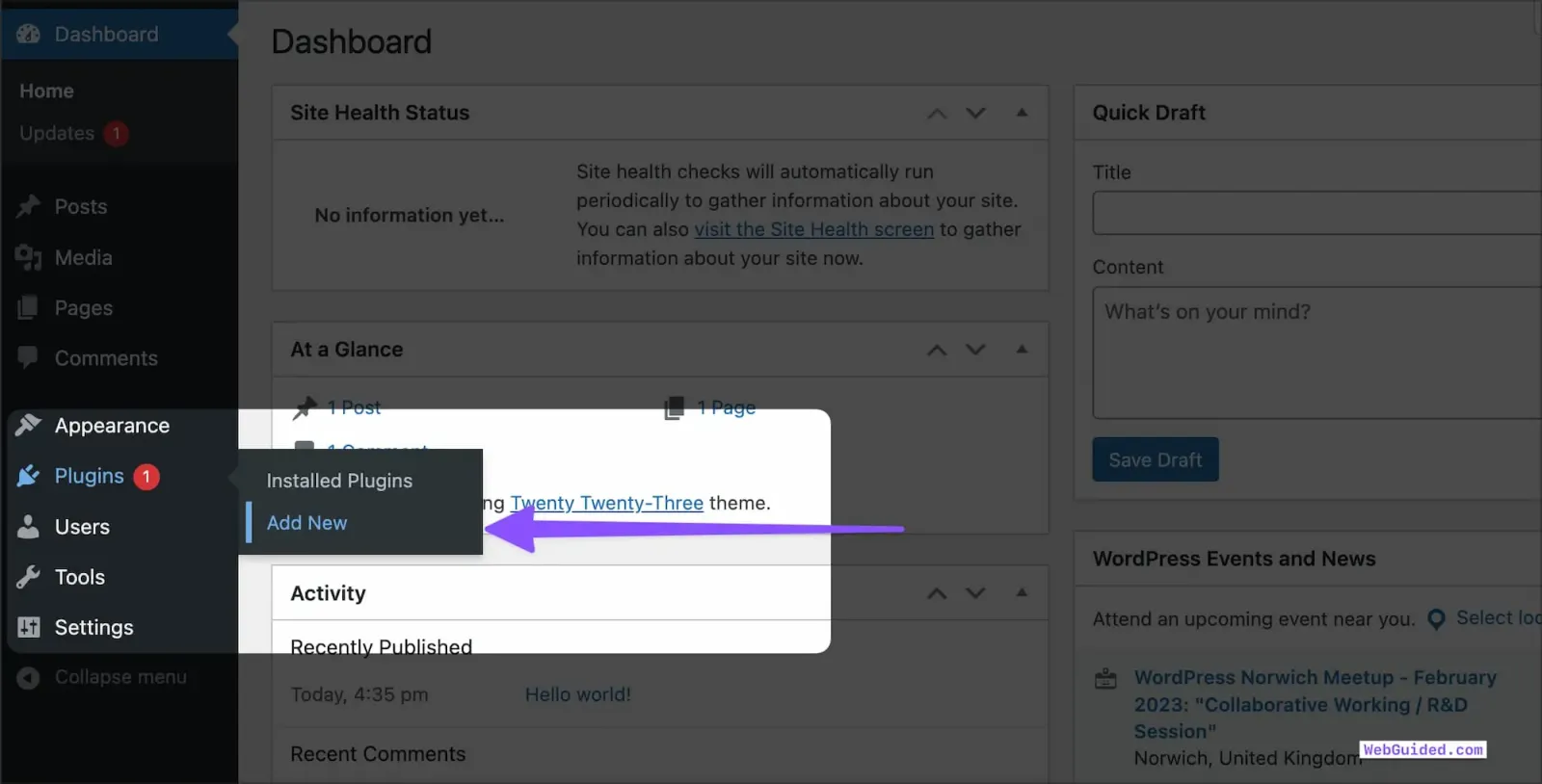
Step 2: Search for “10Web AI Assistant” and click on the Install Now button from the search results for the plugin.
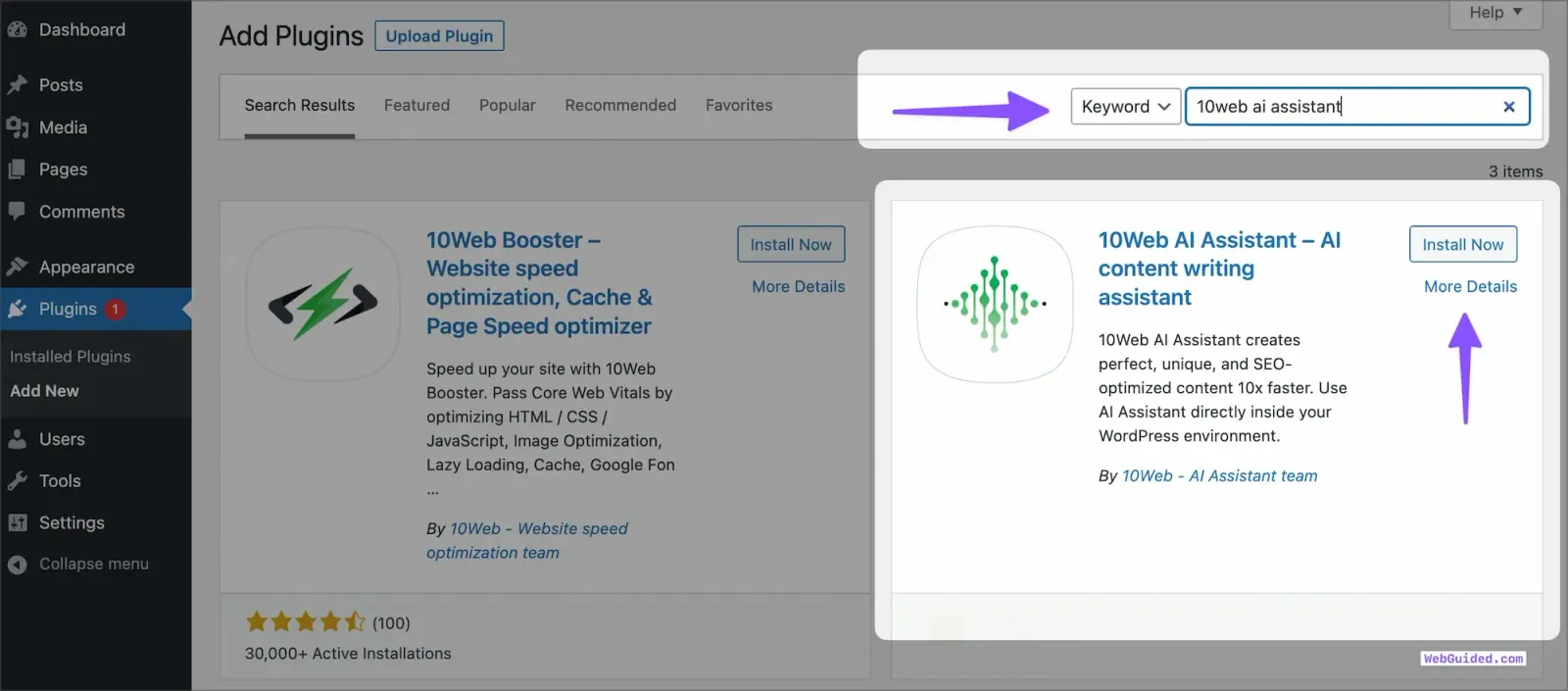
Step 3: Activate the plugin, and now you will see the AI Assistant sidebar menu, where you will have to go and configure the 10Web account settings.
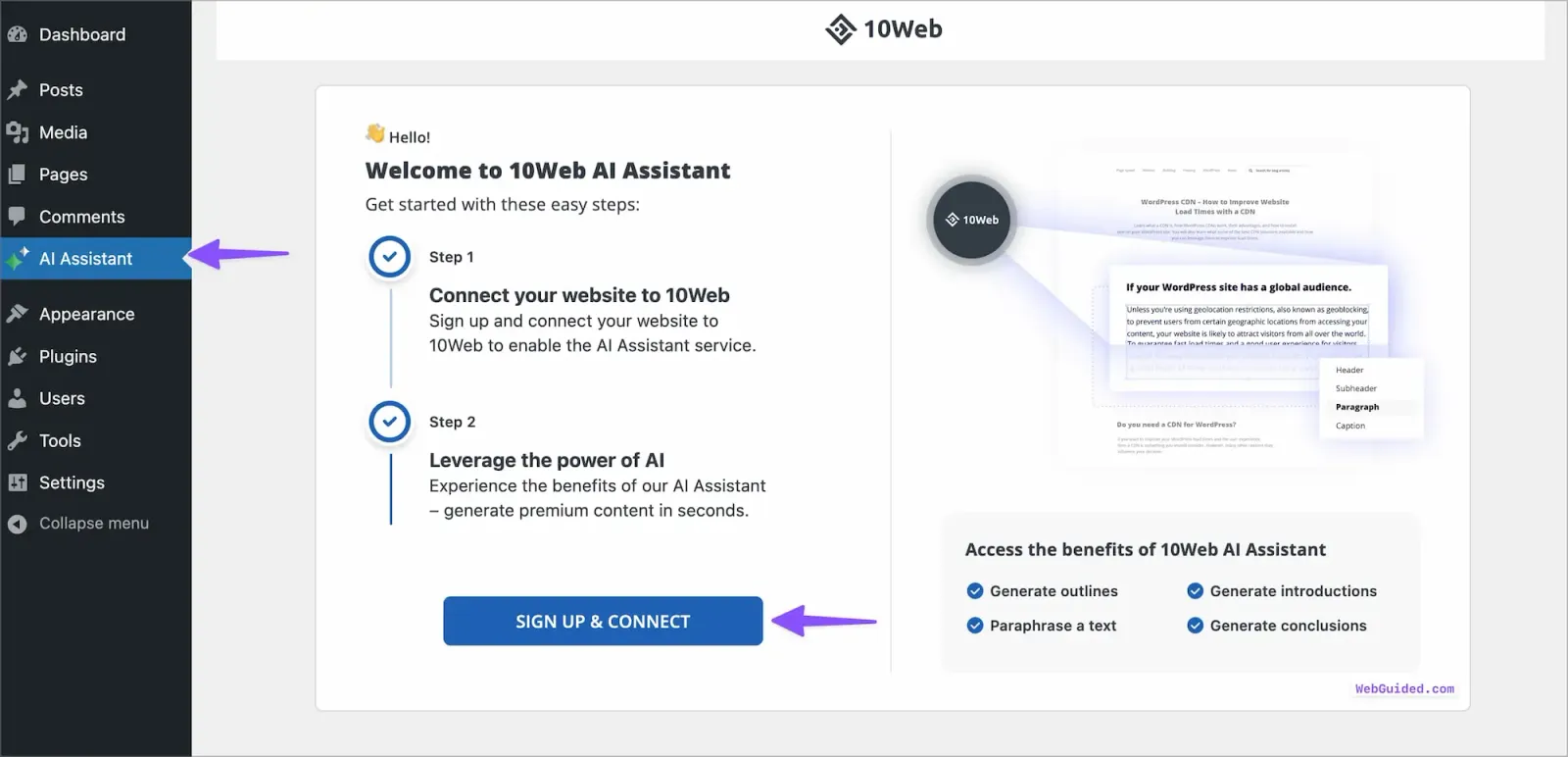
Step 4: If you don’t have an account already, you can click on the Sign Up and Connect button to get started with the freemium version of the tool.
You will be guided to create an account and connect with your WordPress website.
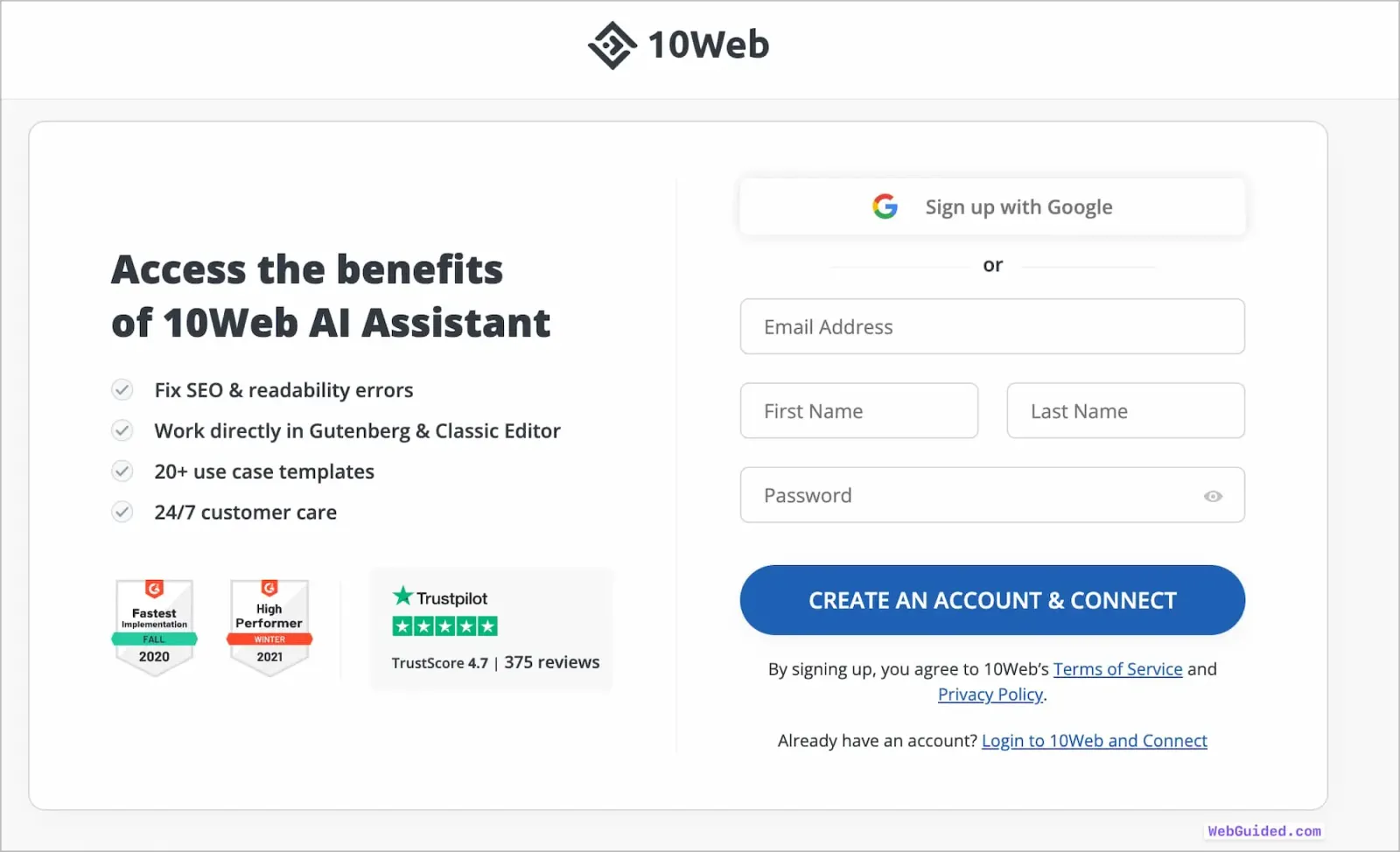
If you have an account already, click on the login to 10Web and Connect button link, and you will be guided to connect with your account.
Using 10Web AI Assistant
In the WordPress admin, the AI Assistant by 10Web plugin generates SEO-optimized content directly within the WordPress block editor (Gutenberg) and classic editor, making content generation and optimization a seamless process.
You can also install the AI Assistant by 10Web – SEO pack plugin to fix SEO errors and suggestions through AI. With this plugin, the AI generates meta descriptions, fixes titles, and content of pages/posts according to suggestions by Yoast SEO.
Outside of WordPress, the 10Web dashboard provides SEO-optimized content generation through content templates. You can choose from a variety of templates and generate high-quality, unique content tailored to your specific needs.
10Web AI Assistant FAQs
Have a query about 10Web AI Assistant and how it works? Perhaps these quick answers can help you clarify them.
-
What type of content can be created with 10Web AI Assistant?
Based on different content templates, 10Web AI Assistant helps you to create high-quality, SEO-friendly and reader-friendly texts for your website, e-commerce store, or blog.
-
How is the usage of words calculated in 10Web AI Assistant?
The character count of both the input and output sentences will be summed up and divided by five, which will be counted toward your usage (based on the assumption that every five characters constitute a word).
-
Why upgrade to the 10Web AI Assistant Pro version?
With the AI Assistant Pro version, you can connect to unlimited websites and enjoy access to more extended writing and input lengths, extensive content templates, and generate more than 10,000 words per month, based on your selected plan.
-
What does 10Web AI Assistant use to generate text?
10Web AI Assistant makes use of large text generation models such as GPT-3 of Open AI to power the AI text generation.
Start using 10Web AI Assistant for Free
If you do most of your writing and publishing work within the WordPress editor and it makes sense to your workflow, I would definitely suggest using 10Web AI Assistant.
Start using the tool and see how it can improve or speed up your workflow of working within WordPress. This would increase your familiarity with the tool and also help you decide if you actually need to upgrade to their premium version.
10Web AI Assistant

10Web AI Assistant is a complete AI writing software solution for WordPress-powered websites.
Price Currency: USD
Operating System: Web
Application Category: DeveloperApplication
4.5
Pros
- Integrated Natively with WordPress Editor
- Easy to use with Blocks in Gutenberg
- Varitety of Content Templates
Cons
- Limited to 2,000 Words in Free Plan
- Could be Faster with Generation
- Limited Add-ons Support
Please note that it’s still early days for 10Web AI Assistant, and it has several upcoming features, such as add-ons and integrations with other WordPress-specific tools, which can make the tool even more potent for WordPress users.